






Stock Shredder · For Adobe Stock
Prepare Video for Adobe Stock in Hours, Not Weekends
Adobe Stock's video rules in one place, and the fastest way to get a full drive of raw footage ready to upload.
The short version
- Cut clips to 5 to 60 seconds. 10 to 20 is safe.
- Export MOV or MP4, ProRes or H.264, under 3.9 GB.
- Keep the native frame rate, but not 48 fps. Adobe won't take it.
- Grade log to Rec 709. No uncorrected log.
- Up to 49 keywords. The first 10 count most.
Stock Shredder does the trimming, grading, exporting, naming and keywords in one pass. 1,000 clips took 3 hours 1 minute in our test.
The footage is shot. The upload never happens.
Adobe Stock is easy to join and hard to keep feeding. Every clip needs a trim, a grade, its own export, a clean name, a title and keywords before it can go in the portal.
At about 2 minutes a clip, a 500-clip drive is 16+ hours of work. That's why so much good footage never leaves the hard drive.
The rules themselves are short. The time goes into doing them clip by clip.
Adobe Stock's video rules.
| Check | Adobe Stock |
|---|---|
| Length | 5 to 60 seconds |
| Max file size | 3.9 GB |
| Container | MOV, MPG, MP4 |
| Codec | ProRes or H.264 recommended |
| Frame rates | 23.98, 24, 25, 29.97, 30, 50, 59.94, 60 |
| Sizes | HD up to 4K. Don't upscale. |
| Vertical | Yes, native 9:16 |
| Color | No uncorrected log |
| Keywords | Up to 49, first 10 weigh most |
Sources: Adobe Stock technical requirements, editing dos and don'ts and titles and keywords. Checked November 2026. Adobe changes these, so check before a big upload.
Selling on Pond5 and Shutterstock too? Adobe's rules are the strictest of the three, so the same file works on all of them. The side-by-side is in How to Prepare Footage for Adobe Stock, Pond5 and Shutterstock.
The by-hand way.
- Scrub each file and set an in and out.
- Grade log to Rec 709.
- Check frame rate, size and logos.
- Export each clip as its own file, audio off.
- Name the file and its folder.
- Write a title and up to 49 keywords, most important first.
Six steps, every clip. Our average is about 2 minutes each.
The Stock Shredder way.
Point Stock Shredder at a folder of raw footage on your Mac or Windows computer.
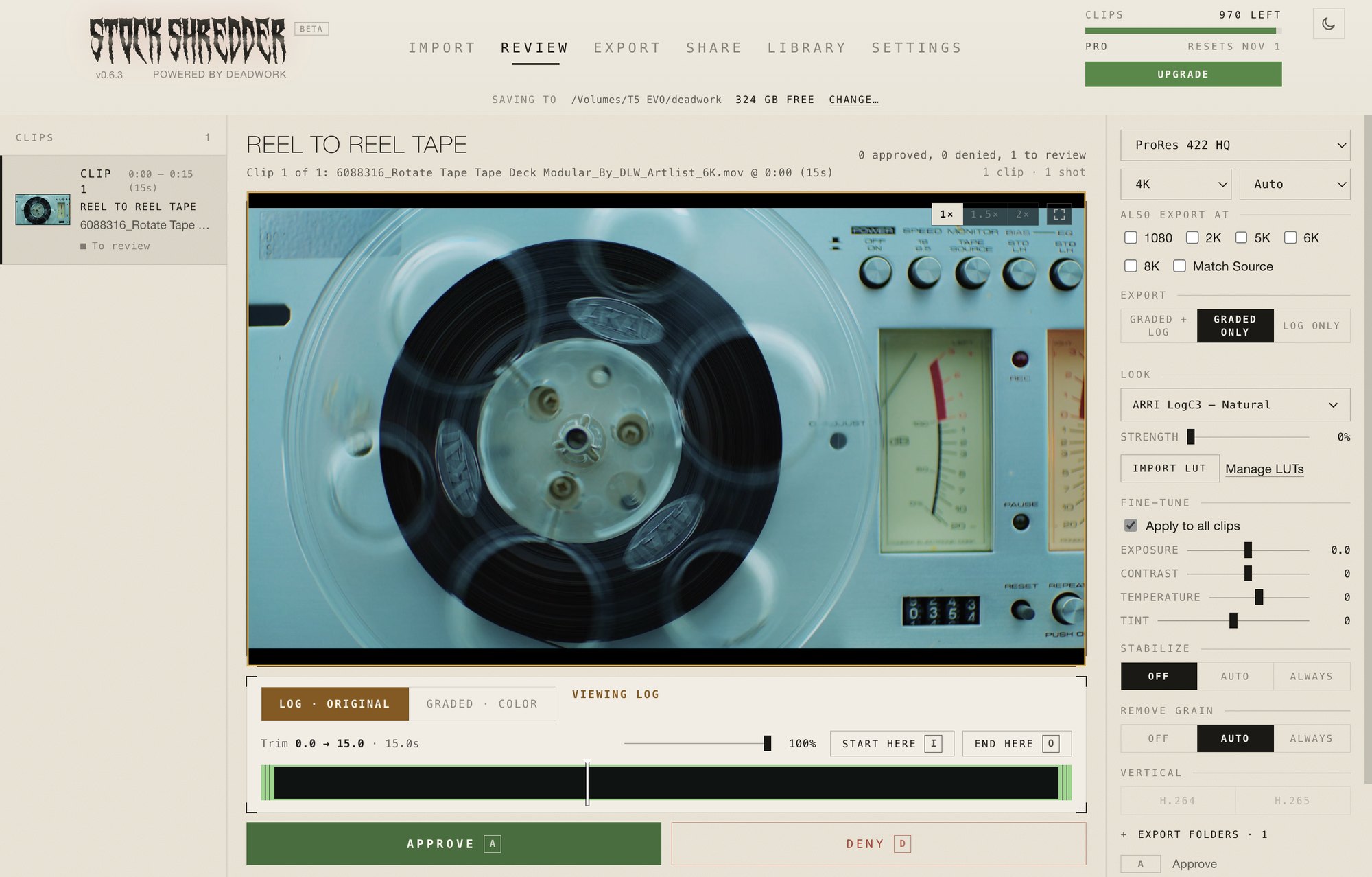
- It finds the moments. Usable shots are found and trimmed inside the length you set.
- It checks Adobe's rules. Logos, HDR, wrong frame rates and footage under 2K are flagged before you upload.
- It grades. Built-in Looks for ARRI, DJI, RED and Sony, or your own LUT.
- It exports. Each clip its own ProRes file, graded, log or both in one pass.
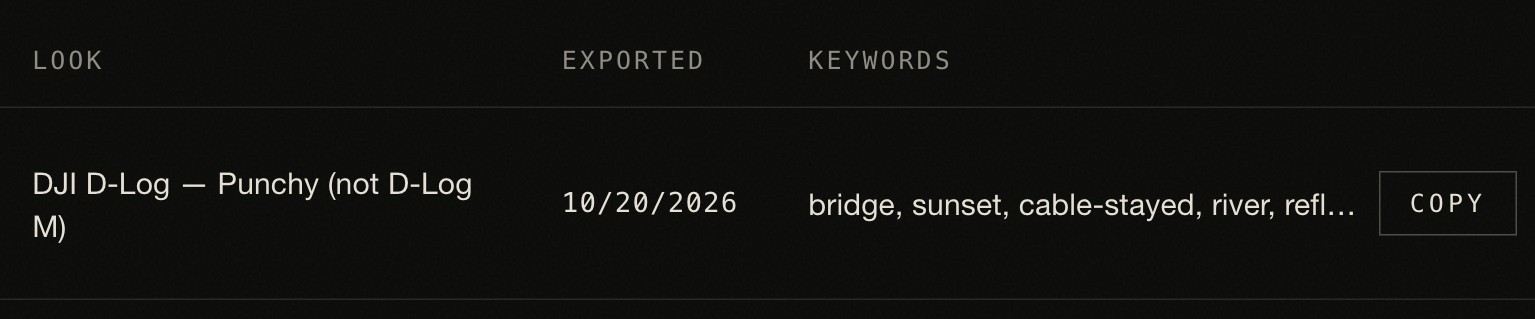
- It names and keywords. Clean names, a folder per clip, and keywords ready to paste into the Adobe Stock portal.
The time difference, measured.
Real Sony FX6 and FX3 footage on a MacBook Pro M3 Pro, exported to an external SSD as graded ProRes 422 HQ 4K.
| 4K clips | Stock Shredder | By hand |
|---|---|---|
| 100 | 16 min | 3+ hours |
| 500 | 1 hr 19 min | 16+ hours |
| 1,000 | 3 hr 1 min | 33+ hours |
Stock Shredder time is shred plus export. Review time not included. By hand: 2 minutes per clip average.
What to know before you start.
Stock Shredder handles the repetitive parts. A few things stay with you.
- You review. It finds the usable shots. Your eye picks the ones worth sending to Adobe.
- You upload. Names and keywords are ready to paste into the portal, so the upload goes fast.
- Watch long 4K clips. High bitrate ProRes can pass 3.9 GB. Keep clips to 10 to 20 seconds and it stays well under.
- Check your format. Canon Cinema RAW Light and Nikon N-RAW aren't supported yet. Everything else from Sony, DJI, ARRI, RED and Blackmagic is.
When by hand still makes sense.
- You're uploading a handful of hero clips, not a drive.
- Each clip needs a custom edit, like a speed ramp or a composite.
For everything else on the drive, the rules are the same on every clip. That's the part worth handing off.
FAQ
What video formats does Adobe Stock accept?
MOV, MPG and MP4. ProRes or H.264 inside them is the safe choice. Files must be 3.9 GB or smaller.
How long should Adobe Stock video clips be?
5 to 60 seconds. 10 to 20 seconds is where most contributors land for horizontal clips.
How many keywords can I add on Adobe Stock?
Up to 49. Order matters: Adobe weighs the first 10 the most, so put the words a buyer would type first.
Does Adobe Stock accept 48 fps?
No. Its list is 23.98, 24, 25, 29.97, 30, 50, 59.94 and 60. Shutterstock and Pond5 do take 48.
Can I upload log footage to Adobe Stock?
Grade it first. Adobe asks contributors not to send uncorrected log. A clean Rec 709 grade is enough.
Does Stock Shredder upload to Adobe Stock for me?
No. It trims, grades, exports, names and keywords your clips. You upload them in the Adobe Stock contributor portal.